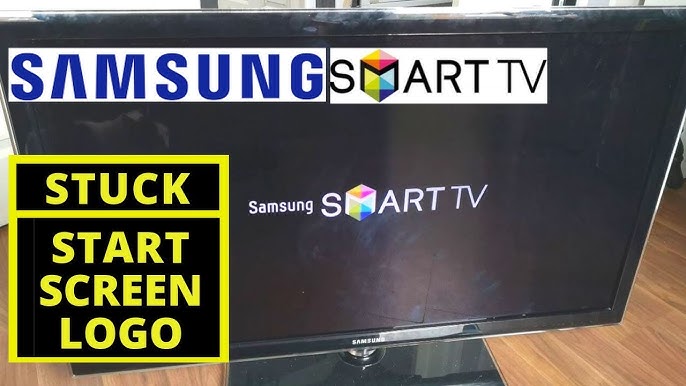
Samsung TV Stuck on Logo – Causes & Easy Fixes
Introduction
If your Samsung TV is stuck on the logo screen and won’t finish booting, it usually indicates a software or power-related issue. This problem can appear after updates, power interruptions, or long-term use.
In this guide, we explain why a Samsung TV may get stuck on the logo and show you easy and safe steps to fix the issue at home.
Why Is My Samsung TV Stuck on the Logo Screen?
When a Samsung TV gets stuck on the logo, it means the system cannot complete the startup process.
Common causes include:
- Temporary software glitches
- Incomplete firmware updates
- Power supply interruptions
- Connected device conflicts
- Internal system errors
Quick Fix Summary
| Possible Cause | Difficulty | Recommended Solution |
|---|---|---|
| Temporary system glitch | Easy | Power reset |
| Firmware issue | Medium | Update TV software |
| Connected device conflict | Easy | Disconnect external devices |
| Cache or memory error | Medium | Factory reset |
| Hardware failure | Hard | Contact Samsung support |
Fix 1: Perform a Power Reset
This is the fastest and most effective first step.
Steps:
- Turn off the TV
- Unplug it from the power outlet
- Wait 60 seconds
- Plug it back in and turn it on
Many logo-freeze issues are resolved with a power reset.
Fix 2: Disconnect All External Devices
External devices can interfere with the TV’s startup.
- Disconnect HDMI devices
- Remove USB drives
- Turn on the TV without accessories
If the TV boots normally, reconnect devices one by one.
Fix 3: Update Samsung TV Software
Outdated or corrupted firmware may cause boot issues.
Steps:
- Go to Settings → Support → Software Update
- Select Update Now
- Install available updates
⚠️ Do not turn off the TV during updates.
Fix 4: Perform a Factory Reset
If the issue persists, a factory reset may help.
⚠️ Warning: This will erase custom settings.
Steps:
- Go to Settings → General → Reset
- Enter the PIN (default: 0000)
- Confirm reset
When to Contact Samsung Support
Contact Samsung support if:
- The logo screen persists after reset
- The TV reboots repeatedly
- You see flickering or blank screens
Hardware repair may be required in rare cases.
How to Prevent Logo Issues in the Future
- Keep TV software updated
- Avoid sudden power loss
- Use surge protection
- Disconnect unused devices
- Restart the TV occasionally
FAQ
Why does my Samsung TV freeze on the logo?
Usually due to software or power-related issues.
Will a factory reset fix the logo problem?
In many cases, yes.
Can a power outage cause this issue?
Yes, sudden power loss can interrupt system files.
Final Thoughts
A Samsung TV stuck on the logo screen is frustrating, but in most cases, the issue can be fixed with simple troubleshooting steps. Starting with basic resets can save time and prevent unnecessary service calls.